

Choosing the wrong accounting software before your Making Tax Digital deadline can mean redoing months of records, or worse, missing a submission. If you are new to MTD, start with our complete Making Tax Digital guide, which covers eligibility, deadlines, and how to register. This article picks up where that guide leaves off and focuses on one question: which software should you actually buy?
We looked at pricing pages, HMRC’s list of recognised software, and independent reviews to compare the main options for sole traders, landlords, VAT-registered businesses, and larger companies. Software pricing changes often, so treat the figures here as a general guide and confirm the current rate before you subscribe.
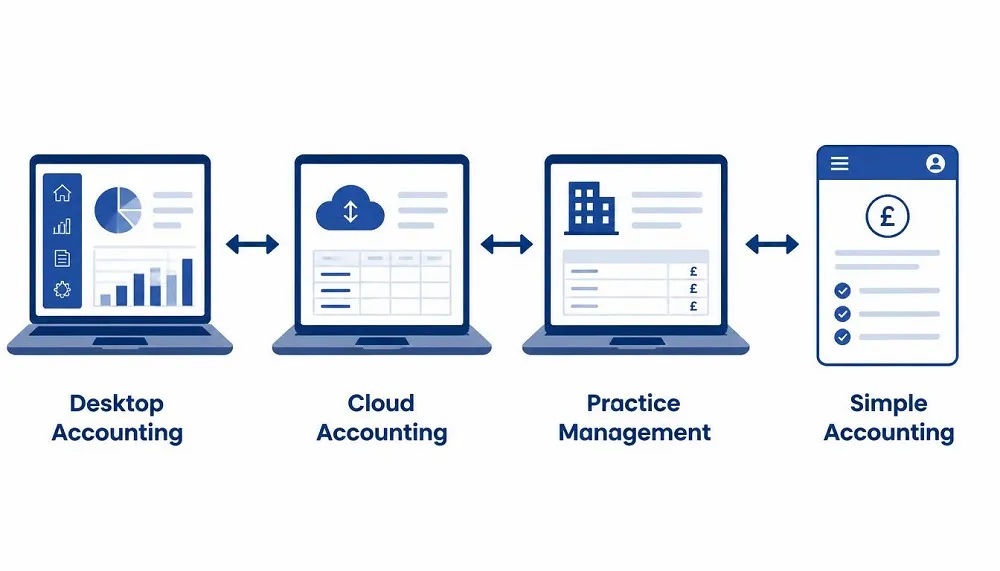
Quick answer: For most sole traders and landlords, Xero, QuickBooks, FreeAgent, and Sage are the safest choices, since all four are HMRC-recognised for both VAT and Income Tax. If your income is simple and you want to avoid a subscription, Sage Sole Trader Free or HMRC’s own free tool for Income Tax are worth checking first. If you already work in spreadsheets, bridging software such as VitalTax or 123 Sheets lets you keep your existing setup.
What Is Making Tax Digital Software?
Why software is required
Under MTD, you cannot type figures directly into HMRC’s website by hand once you are within scope. Your records need to sit in software that can talk to HMRC directly through a secure digital connection, known as an API. This applies whether you are filing VAT returns or Income Tax quarterly updates. Paper records and basic spreadsheets are still allowed for keeping notes, but the actual submission has to travel from a digital record to HMRC without anyone retyping the numbers by hand along the way.
HMRC-compatible software explained
“HMRC-recognised” is a specific technical status, not a quality rating. It means a piece of software has passed HMRC’s testing and can connect to the relevant API to send quarterly updates, VAT returns, or a Final Declaration. HMRC does not endorse or rank the software on this list, so being recognised tells you a product will work, not that it is the best fit for your business. You still need to judge features, price, and ease of use yourself. Always check a provider against HMRC’s current published list before you commit to a subscription, since providers are added and occasionally removed as HMRC’s testing continues.
Best Making Tax Digital Software (Comparison Table)
| Software | Best for | Typical pricing (excl. VAT) | Free trial | VAT | Income Tax | Landlords | Self-employed | Bridging support |
|---|---|---|---|---|---|---|---|---|
| Xero | Growing businesses wanting a large app marketplace | Simple from around £7 to £16 a month, Grow around £37, Ultimate around £65 | 30 days | Yes | Yes | Yes | Yes | No |
| QuickBooks | Sole traders wanting a low entry price and strong mobile app | Sole Trader Plus around £10, Simple Start around £16, rising to £123 for Advanced | Yes, terms vary | Yes | Yes | Yes | Yes | No |
| Sage | Businesses wanting bundled payroll and UK phone support | Sole Trader Free at £0, Sole Trader paid from around £7, Accounting Start around £18, Standard around £39 | Yes | Yes, from Standard | Yes | Yes | Yes | No |
| FreeAgent | Freelancers and contractors, especially NatWest Group customers | Free with a NatWest, RBS, Ulster Bank, or Mettle business account, otherwise around £19 a month | Yes | Yes | Yes | Yes | Yes | No |
| SAP (with add-on) | Larger companies with an existing SAP system | Enterprise pricing, typically quoted per project | No | Yes, via add-on | Not typically applicable | No | No | Sometimes |
| VitalTax and similar bridging tools | Excel users who want to keep their spreadsheet | Often £25 to £90 a year | Varies | Yes | Increasingly, check current scope | Yes | Yes | Yes |
| HMRC’s free tool | Very simple sole trader or landlord income | Free | Not applicable | No | Yes | Yes | Yes | No |
Best Software for Self-employed
Sole traders
If you run a simple sole trade with one income stream, the cheapest paid options are usually the best starting point. QuickBooks Sole Trader Plus is aimed squarely at this group and sits at the lower end of the market, while remaining HMRC-recognised for Income Tax. Sage offers a genuinely free tier, Sage Sole Trader Free, for anyone who is not VAT registered and has straightforward records, which makes it worth trying before you pay for anything.
Freelancers
Freelancers often juggle several clients, irregular invoices, and expenses that need clear categorisation for time saved at tax time. FreeAgent has built a strong reputation here, particularly because it was one of the earliest platforms to pilot MTD for Income Tax with HMRC, giving it a longer track record of stable quarterly submissions. If you already bank with NatWest, Royal Bank of Scotland, Ulster Bank, or Mettle, FreeAgent is included free with your business account, which is worth checking before you pay for any other product.
Contractors
Contractors working through a limited company have different needs again, since MTD for Income Tax only applies to their personal self-employment or property income, not to the company itself. If you are a contractor with a side sole trade or rental property, look for software with a straightforward option to add your personal MTD obligations without bundling in features built for the company. Xero and QuickBooks both support this separation cleanly.
Best Software for Landlords
Rental income
For a landlord with a small number of properties and no separate trade, software built specifically for property income can be worth the switch. RentalBux, for example, is built by a specialist property accountancy practice and supports UK property, foreign property, and self-employment income within one platform, with tools aimed at joint ownership and mixed income sources that general accounting software sometimes handles less cleanly. Hammock is another option worth checking if your main need is real-time tracking of rental income and expenses rather than full bookkeeping.
Property portfolios
If you manage several properties, look for software that consolidates all UK property income into a single reporting stream, since HMRC requires one combined property update rather than a separate submission per address. Xero, QuickBooks, and FreeAgent all handle multiple properties within one property business, and larger portfolio landlords may also want to compare specialist tools such as Hammock or RentalBux, which are built around the specific admin of running several lets at once.
Best VAT Software
VAT filing
Every major provider covered here, Xero, QuickBooks, Sage from its Standard tier, and FreeAgent, files VAT returns directly to HMRC without needing separate bridging software. This has been a requirement since MTD for VAT became compulsory for all VAT-registered businesses in April 2022, regardless of turnover.
Digital links
The technical requirement behind MTD for VAT is an unbroken digital link from the point you first record a transaction through to the figure that appears on your VAT return. Full accounting packages handle this automatically because everything sits in one system. If you use a mix of tools, such as a separate stock system feeding into your accounting software, check that the data transfers digitally rather than through manual retyping at any point, since that would break the required link.
VAT returns
Filing frequency itself has not changed under MTD. Most businesses still file quarterly, with monthly and annual schemes available in the same circumstances as before. What has changed is the method: your software submits the return through HMRC’s API rather than you entering figures into HMRC’s online portal by hand.
Best Free Making Tax Digital Software
Free plans
Genuinely free, ongoing MTD software is rarer than free trials, but a few options exist. Sage Sole Trader Free is free with no time limit and no banking condition, though it caps you at a small number of invoices and automated categorisations each month. FreeAgent is free permanently if you hold a qualifying NatWest Group business account, with no feature restrictions. HMRC also provides its own free tool for Income Tax, aimed at sole traders and landlords with straightforward income and no need for invoicing, bank feeds, or detailed reporting.
Free trials
Xero, QuickBooks, and most bridging software providers offer a 30-day free trial, which is enough time to import a quarter’s worth of real transactions and get a feel for the workflow before you commit. Testing with your actual bank feed and a real set of receipts, rather than demo data, gives a far more accurate sense of how much admin time the software will realistically save you.
Limitations
Free tiers are usually free for a reason. Expect caps on invoice numbers, transaction volume, or automated categorisation, and expect VAT filing to often sit behind a paid upgrade even when Income Tax filing is included free. Before relying on a free plan long term, check whether it will still cover you once your income grows into a higher MTD threshold, since some free tiers are explicitly designed for the simplest tax affairs only.
Best Bridging Software
What bridging software is
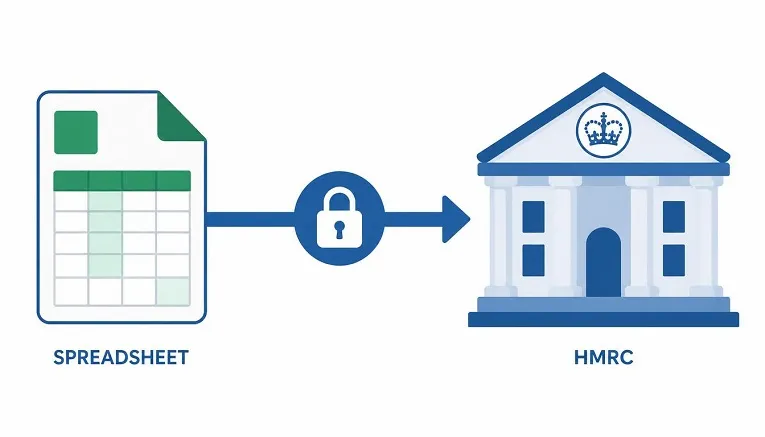
Bridging software is a lightweight tool that sits between a spreadsheet and HMRC. Rather than replacing your spreadsheet, it reads the figures you have already recorded and sends them to HMRC through the required digital link. This suits anyone who has a bookkeeping system they like and does not want to move everything into a full accounting package.
When you need it
You need bridging software if you keep your income and expense records in Excel or Google Sheets and want to keep working that way once you are within MTD. Products such as VitalTax, 123 Sheets, and Absolute Excel VAT Filer are built for exactly this. Pricing tends to be far lower than full accounting software, often in the region of £25 to £90 a year, because the tool only handles the submission step rather than full bookkeeping.
Excel users
If you are comfortable in Excel and do not want the learning curve of a new platform, bridging software is often the least disruptive route into MTD. The trade-off is that you keep doing your own categorisation and calculations manually, so the time saving compared with full accounting software is smaller. It suits people with simple, low-volume records more than those with dozens of monthly transactions across multiple income sources.
Software Reviews
Sage Making Tax Digital
Sage has been a fixture in UK small business accounting for decades and has invested heavily in MTD readiness across its range.
Features
Digital VAT and Income Tax filing, bundled payroll on every paid plan, native support for Construction Industry Scheme deductions, and an AI assistant called Sage Copilot that suggests transaction categories.
Pricing
Sole Trader Free at £0, Sole Trader paid from around £7 a month, Accounting Start around £18, Standard around £39, and Plus around £59, all excluding VAT.
Pros
Genuinely free entry tier, strong UK-based phone support, payroll included rather than charged separately.
Cons
MTD quarterly submissions for Income Tax are not available on every tier, so check the current feature list before choosing the Start plan if quarterly filing is essential to you. The interface has a slightly steeper learning curve for first-time users than some competitors.
Best for
Sole traders wanting a free or low-cost entry point, and small limited companies that want payroll bundled in rather than paid separately.
Xero Making Tax Digital
Xero is one of the most widely used cloud accounting platforms in the UK, popular with accountants for its large app marketplace.
Features
Automatic bank feeds from most UK banks, MTD-compliant VAT and Income Tax filing, receipt capture through Hubdoc, and live testing that checks your submission with HMRC before you file.
Pricing
Entry-level plans start at around £7 to £16 a month, with mid-tier plans around £37 and the top Ultimate plan around £65, all excluding VAT. Xero regularly runs introductory discounts for new customers.
Pros
Large marketplace of third-party integrations, clean and modern interface, strong multi-currency support for anyone trading internationally.
Cons
Pricing has risen in recent years, and several features that used to be included are now charged as add-ons, such as extra payroll users and CIS returns. This can make the real monthly cost noticeably higher than the headline price.
Best for
Growing businesses that want room to add integrations and features as they scale, and accountants managing several clients on one platform.
QuickBooks Making Tax Digital
QuickBooks is known for its mobile app and its dedicated low-cost plan for sole traders.
Features
Receipt scanning with automatic data extraction, mileage tracking using your phone’s GPS, MTD-compliant VAT and Income Tax filing, and an AI assistant for generating reports and drafting invoices.
Pricing
Sole Trader Plus around £10 a month, Simple Start around £16, rising through Essentials, Plus, and Advanced up to around £123 a month, all excluding VAT. QuickBooks frequently offers steep introductory discounts for new customers.
Pros
One of the lowest entry prices among the major providers, strong mobile app for managing finances on the move, and a plan structure that scales cleanly from sole trader to larger business.
Cons
The AI features and some reporting tools are reserved for higher tiers, and payroll is an add-on rather than included.
Best for
Sole traders and freelancers who manage their finances mostly from a phone and want the cheapest reliable paid option.
SAP Making Tax Digital UK
SAP is not aimed at sole traders or small landlords. It is enterprise resource planning software used by larger organisations, and MTD compliance is typically added through a dedicated add-on rather than built into the core product for older SAP versions.
Features
Automated preparation of the nine-box VAT return, a digital audit trail linking source transactions to submitted figures, and reconciliation against the general ledger. Newer SAP S/4HANA systems have MTD functionality built in through SAP’s Advanced Compliance Reporting service, while older SAP ECC systems generally need a third-party add-on from a partner such as Absoft or PIKON.
Pricing
Enterprise pricing, usually quoted per implementation rather than as a flat monthly fee. There is no meaningful free tier.
Pros
Deep integration with existing SAP financial data, strong audit trail for organisations with complex reporting or compliance requirements.
Cons
Overkill and cost-prohibitive for sole traders, freelancers, or small landlords. Implementation typically requires specialist consultancy support.
Best for
Larger companies that already run SAP for their core finance systems and need VAT compliance built into that existing infrastructure.
How to Choose the Right MTD Software
Business size
A sole trader with one income stream has very different needs from a small limited company with several employees. Do not pay for features built for a bigger operation than the one you actually run.
VAT requirements
If you are VAT registered, confirm the software handles VAT filing on the plan you are choosing, since some providers reserve this for a higher tier than their entry-level plan.
Income Tax requirements
If your qualifying income puts you within MTD for Income Tax, check the software explicitly supports quarterly updates and the Final Declaration, not just VAT. Some entry-level plans cover one and not the other.
Budget
Free and low-cost tiers can genuinely cover simple sole traders and landlords, but check what happens as your income grows, since you may need to upgrade once you cross a threshold or add a second income source.
Ease of use
Try the free trial with your real bank feed and a real quarter of transactions rather than demo data. This is the only reliable way to judge how much time a piece of software will actually save you.
Accountant access
If you work with an accountant or bookkeeper, confirm they can connect to your chosen software through their own agent services account. Most major providers support this, but the setup process differs slightly between platforms.
Frequently Asked Questions
What software is approved by HMRC?
HMRC maintains separate public lists of software recognised for MTD for VAT and MTD for Income Tax. Major providers including Xero, QuickBooks, Sage, and FreeAgent appear on both lists, alongside a large number of smaller and specialist providers. Always check the current list before subscribing, since it changes as new providers pass testing.
Can I use Excel?
Yes, but only if you connect your spreadsheet to bridging software that can transmit the data digitally to HMRC. A spreadsheet with figures typed manually into HMRC’s website does not meet the digital link requirement.
Is there free MTD software?
Yes. Sage Sole Trader Free and FreeAgent’s NatWest Group offer are both genuinely free with no time limit, and HMRC provides its own free tool for simple Income Tax cases. Free tiers usually come with limits on invoice volume or transaction categorisation, and VAT filing is often not included free.
Which software is best for landlords?
Xero, QuickBooks, and FreeAgent all handle rental income well for landlords with a handful of properties. Larger portfolios or landlords with mixed UK and foreign property income may prefer a specialist tool such as RentalBux or Hammock.
Which software is best for self-employed individuals?
QuickBooks Sole Trader Plus and Sage Sole Trader Free are strong starting points for simple, low-cost sole trader accounts. Freelancers who want a more complete feature set, or who already bank with NatWest Group, often prefer FreeAgent.
Do I need bridging software?
Only if you want to keep working in a spreadsheet rather than moving to full accounting software. If you are happy to record transactions directly in an app, a full package like Xero, QuickBooks, Sage, or FreeAgent removes the need for a separate bridging tool.
Compare, Then Commit
There is no single best MTD software for every business. The right choice depends on whether you need VAT filing, Income Tax filing, or both, how many income sources you have, and how much you want to spend. Start with a free trial or a genuinely free tier, test it against a real quarter of your own records, and only commit once you have seen how it handles your actual bookkeeping.
For the full picture on who needs to comply, when your deadlines fall, and how registration works, read our complete guide to Making Tax Digital.